
Every Collection Path uses one of two Chasing Modes, which control how invoices progress through your chasing steps. You choose the mode using the toggle at the top of the Collection Path configuration screen.
Per Invoice chases each invoice independently. Each invoice progresses through the path based on fixed days before or after its due date, so a customer with several overdue invoices may receive a separate reminder for each one. See Configure a Collection Path for how to set up Per Invoice steps.
Consolidated groups invoices into ageing ranges and chases them together, so a customer with several overdue invoices receives structured communications based on how overdue those invoices are, rather than one reminder per invoice. The rest of this article explains how Consolidated mode works.
What is Consolidated Chasing Mode?
Consolidated mode allows you to structure your Collection Path chasing strategy using due date ranges rather than progressing each invoice independently.
In Consolidated mode, each step in the Collection Path defines an overdue range. When invoices fall within that range, they are grouped together and included in the communication generated for that step. Each qualifying step generates its own communication based on the invoices that fall within its defined range.
This allows you to send structured communications based on ageing bands, instead of sending separate reminders per invoice.
How Consolidated Mode Differs from Per Invoice
Credit Hound Cloud offers two Chasing Modes:
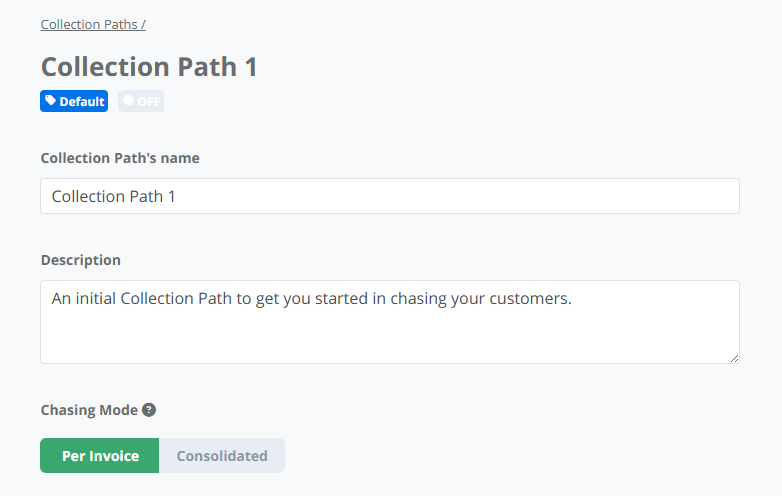
Per Invoice is ideal when:
- You want a clear, linear escalation per invoice.
- Your process follows a consistent timeline (for example, 7 days overdue, 14 days overdue, 30 days overdue).
Consolidated is ideal when:
- Customers regularly have multiple invoices outstanding.
- You prefer fewer, more structured communications.
- You prefer to group invoices into staged overdue bands.
How Due Date Ranges Work
In Consolidated mode, email steps are configured using due date ranges rather than single fixed days.
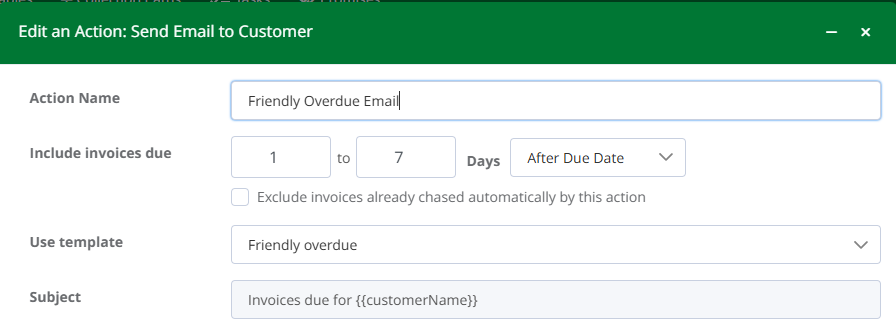
For example:
- 0 to 7 Days Before Due Date
- 1 to 7 Days After Due Date
- 8 to 14 Days After Due Date
- 15 to 30 Days After Due Date
When an invoice falls within a defined range, the corresponding step becomes eligible (see below for how multiple steps can qualify at once). As invoices age, they can move into later ranges and be included in subsequent steps, depending on your configuration.
Each range can use a different email template, allowing tone and escalation to change over time.
It is possible for multiple email steps to qualify at the same time if invoices on the account fall into different due date ranges.
For example, if your Collection Path includes several overdue bands (such as 0 to 7 days before due date, 1 to 7 days overdue, 8 to 14 days overdue, and 15 to 30 days overdue), and invoices exist within each of those ranges, multiple step emails may be sent according to your configuration. This makes it important to clearly differentiate subject lines and messaging between each stage of escalation.
The cooling-off period (described below) applies at the customer account level and controls the minimum spacing between automated email actions, helping maintain a predictable communication cadence.
When configuring due date ranges, ensure that your email templates and subject lines reflect the appropriate level of urgency for each stage.
As invoices qualify and move into later ranges, wording should clearly convey increasing severity or escalation to encourage timely payment.
Minimum Cooling-Off Period
Consolidated Collection Paths include a cooling-off period.
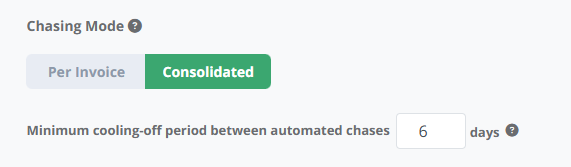
The cooling-off period defines the minimum number of days between automated email actions on the same customer account.
This helps to:
- Prevent excessive communication
- Maintain a professional cadence
- Control how frequently automated emails can be sent
- Avoid multiple emails being sent too close together
How the cooling-off period works:
- The system waits for the cooling-off period to pass before sending the next automated chase to that customer.
- For example, if a chase is sent on Monday and the cooling-off period is 6 days, the next automated chase will be sent the following Monday. (Weekly cadence)
- A cooling-off period of 0 days means automated chases will be sent again the very next day
Cooling-off applies only to email steps within the Collection Path. Automated Tasks operate independently and are not affected by the cooling-off setting.
You can configure the cooling-off period when setting up the Collection Path.
Email Option: Exclude invoices already chased automatically by this action
In Consolidated mode, each email step includes the option:
Exclude invoices already chased automatically by this action
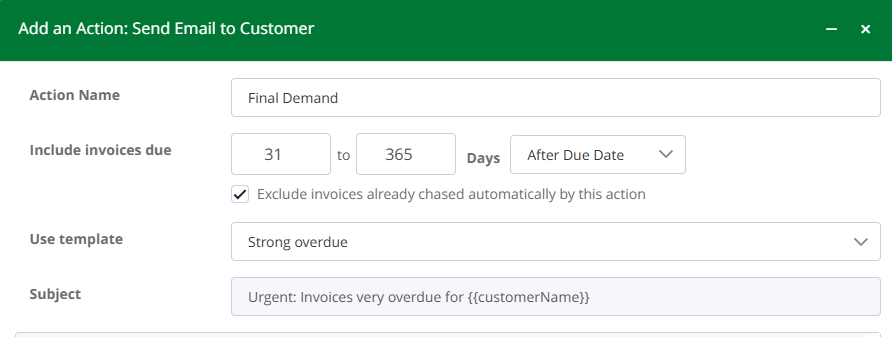 Exclude invoices already chased automatically by this action
When selected, invoices that have already triggered this step will not trigger it again if they remain within the same overdue range.
This is particularly useful when using broader ageing bands, as it prevents the same invoice from being included repeatedly in the same step.
This setting applies only to the specific action step where it is enabled.
Automated Tasks in Consolidated Mode
Automated Tasks behave slightly differently to emails in Consolidated mode.
Tasks are configured on a definitive day (for example, +10 days overdue).
Tasks are not range-based.
This allows you to schedule activities such as:
- Follow-up calls
- Escalation reviews
- Credit hold checks
Tasks can be configured to auto-complete if required.
What You Will See in Next Action
In Consolidated mode, the Next Action area may show:
- An upcoming Email action
- A scheduled Task
- Both, depending on configuration
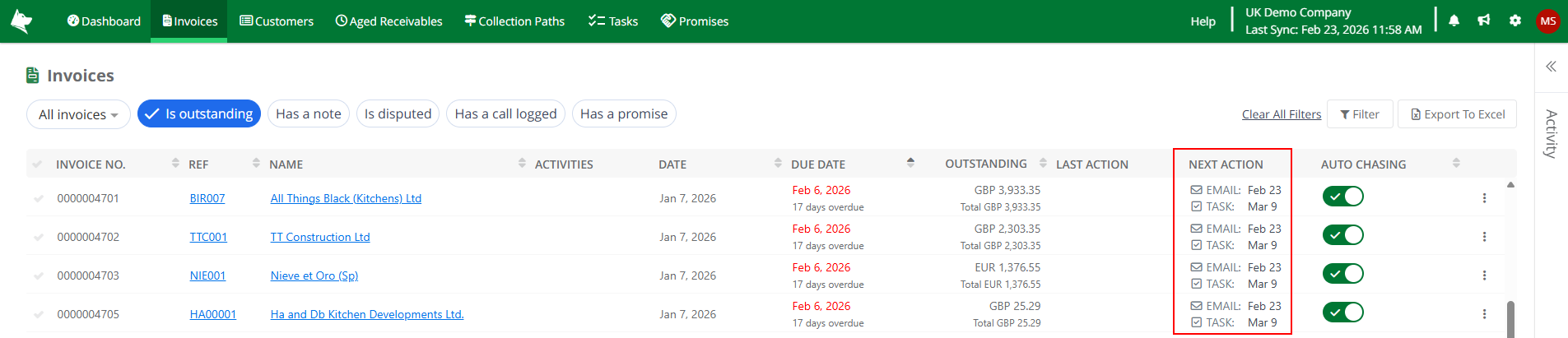
This provides visibility of what will happen next on the account under the assigned Collection Path.
When Should You Use Consolidated Mode?
Consolidated mode is best suited when:
- Customers often have multiple invoices outstanding at the same time.
- You want to avoid sending multiple separate emails per invoice.
- You prefer communication based on overdue stages rather than fixed days per invoice.
- You want flexibility in grouping invoices into structured ageing bands.
If you prefer each invoice to progress independently through a defined timeline, Per Invoice mode may be more appropriate.