
A Statement allows you to automatically send your customers a summary of the outstanding transactions on their account. Statements help your customers keep track of what they owe and make timely payments.
While Collection Paths chase individual overdue invoices, Statements provide your customers with a periodic overview of their account.
In the body of the email, a Statement lists each transaction still outstanding on the customer's account, with the total owed. It shows what's outstanding now rather than an opening balance and a month's activity.
You will have an initial Statement (named 'Monthly Statement') that gives you a starting point to send statements to your customers.
How Statements are sent
Statements are sent on a monthly schedule. You choose:
The day of the month statements are sent
First day of month
Last day of the month
Custom day of month - A specific day of the month (1 to 31)
The send window - Morning, Afternoon, or Evening - in your timezone
Within your chosen window, individual statement emails are sent at varying times. For more detail on timing, see When Statements are sent.
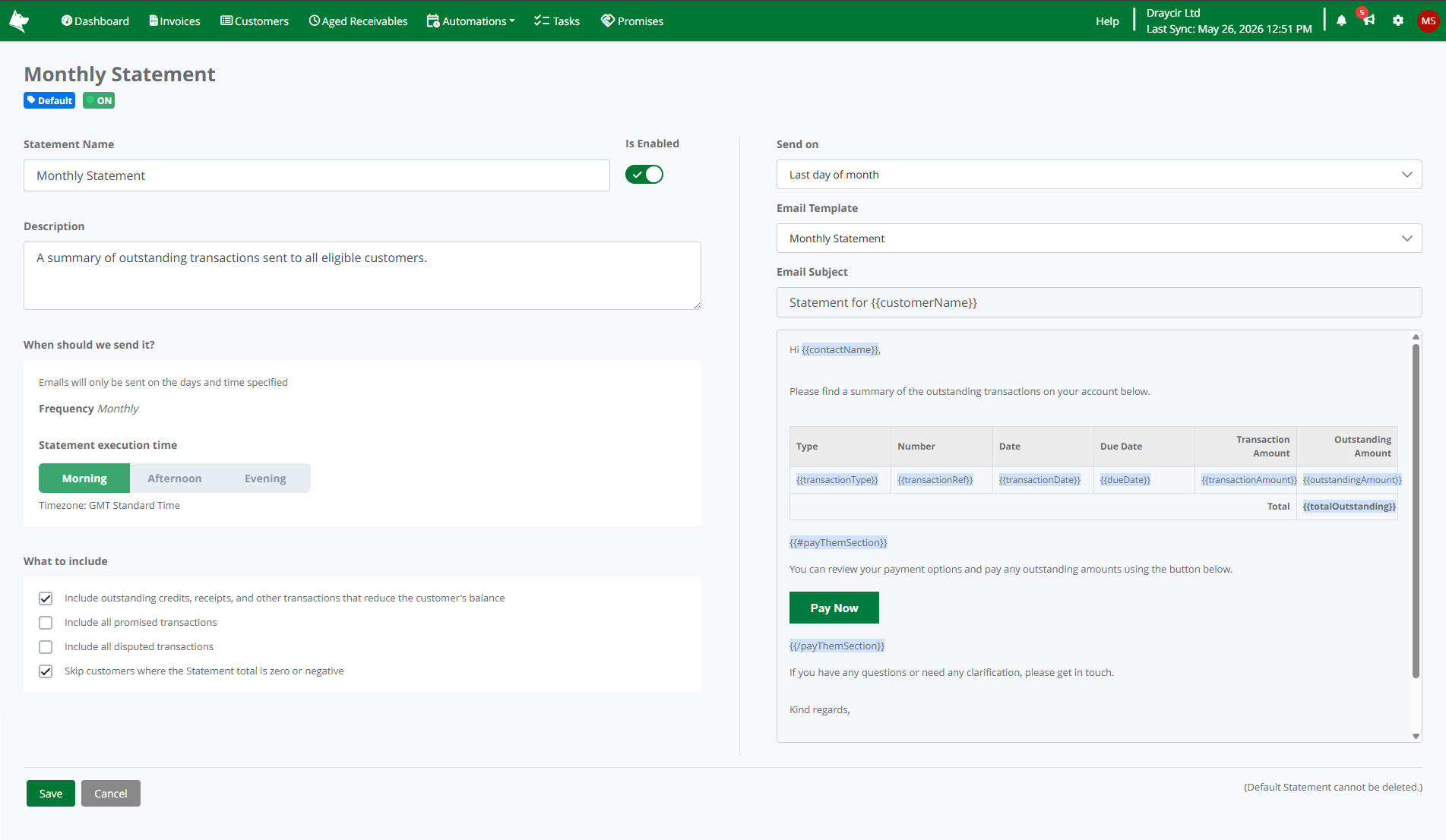
Statement configuration page
Who receives a Statement
A customer receives a Statement when all of the following are true:
The Statement is enabled (the Is Enabled toggle is on)
The customer's individual Statements toggle is on (the default for all customers)
The customer has a valid email address on their default contact
The customer has outstanding transactions
The customer's outstanding Statement total is greater than zero (when 'Skip customers where the Statement total is zero or negative' is enabled, which is the default)
For more on which transactions are included, see What's included on a Statement.
Statements and Collection Paths
Statements and Collection Paths work independently. A customer can:
Receive Statements only
Receive Collection Path chase emails only
Receive both
Receive neither
You control each separately. The 'Auto Chasing' for Collection Paths and 'Include in Statements' toggles on the Customer screen and Customer List are independent.
Same-day sends
A customer who is set up for both Collection Paths and Statements may receive both a chase email and a statement email on the same day. This is by design - they communicate different things and work together to give your customers a full picture of their account.
Global Settings
To turn Statements on for your dataset, navigate to Automations > Statements and switch the Is Enabled toggle on.
For information on opting individual customers out of Statements, see When Statements are sent.