
By default, every customer with outstanding transactions and a valid email address will receive a Statement when your monthly run takes place. You can opt individual customers out of Statements when you don't want them to receive one.
When you might want to opt a customer out
Common reasons to exclude a customer from Statements include:
Internal accounts kept for reference purposes only
Customers who have explicitly requested not to receive statements
Opting a customer out of Statements does not affect their Collection Path settings. The two are independent.
Opt out a single customer
To opt a single customer out, there are two methods.
Customer Screen
Open the customer in the Customer screen and switch the 'Include in Statements' toggle off.
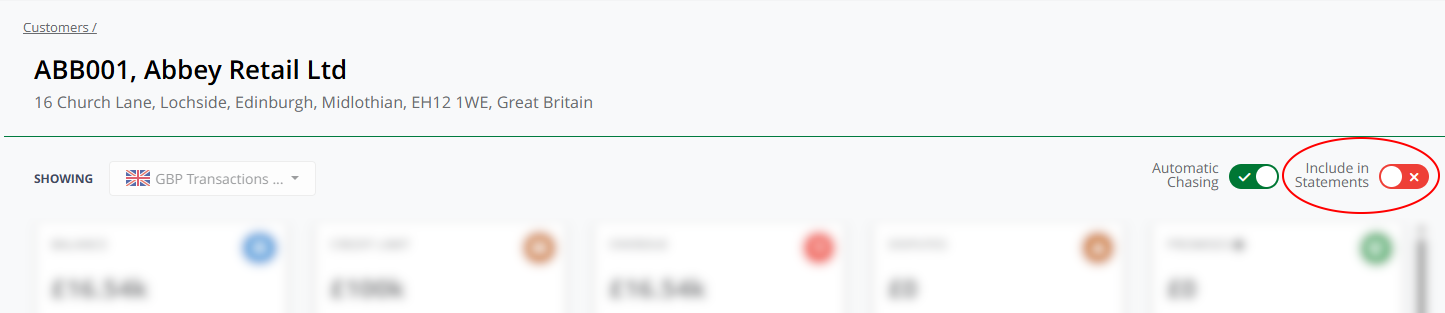
Customer Screen
When toggling the option, the green tick indicates that the customer is eligible for Statements, while a red cross indicates they are not.
The customer will not receive a statement on the next run, or any subsequent run, until you turn the toggle back on.
Activity log
When you toggle a customer's Statements setting, an entry is added to the customer's Activity log recording when the change was made and by whom. This gives you an audit trail of opt-out decisions.
Customers List
You can enable or disable Statements from the Customer List and changing the toggle option in the Include In Statements column.
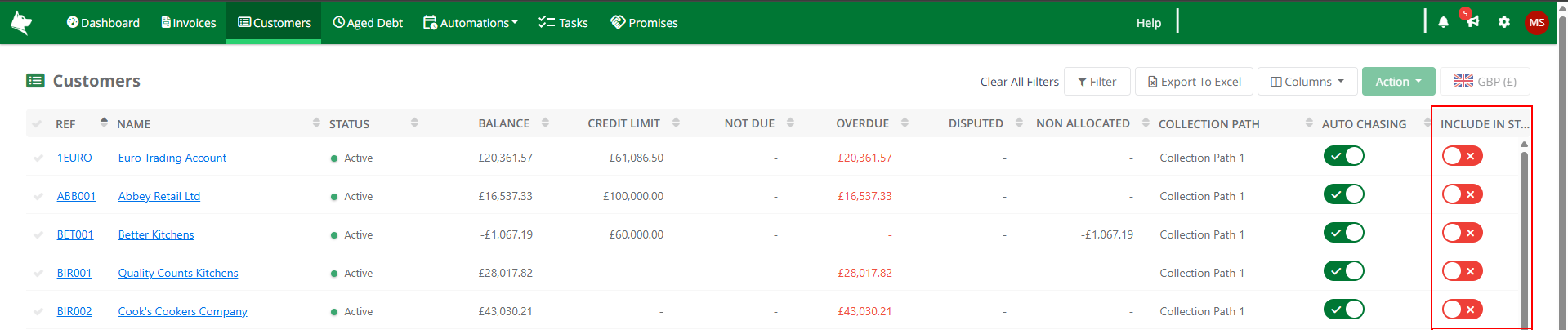
Customers List
The Include In Statements column can be filtered to only those Customers who have either Statements turned on or off. This column can also be sorted like any other column.
Opt out multiple customers at once
When you have several customers to opt out, you can do this in bulk from the Customer List.
Open the Customers List
Select the customers you want to opt out using the checkboxes in the multi-select column
Click the Action dropdown and choose Statements Eligibility
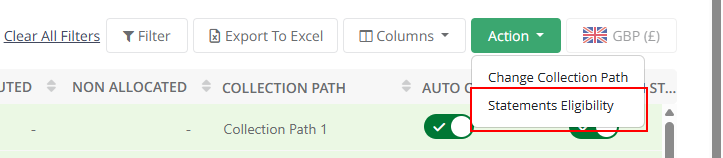
Customers List - Action
In the dialog that appears, select Exclude from Statements
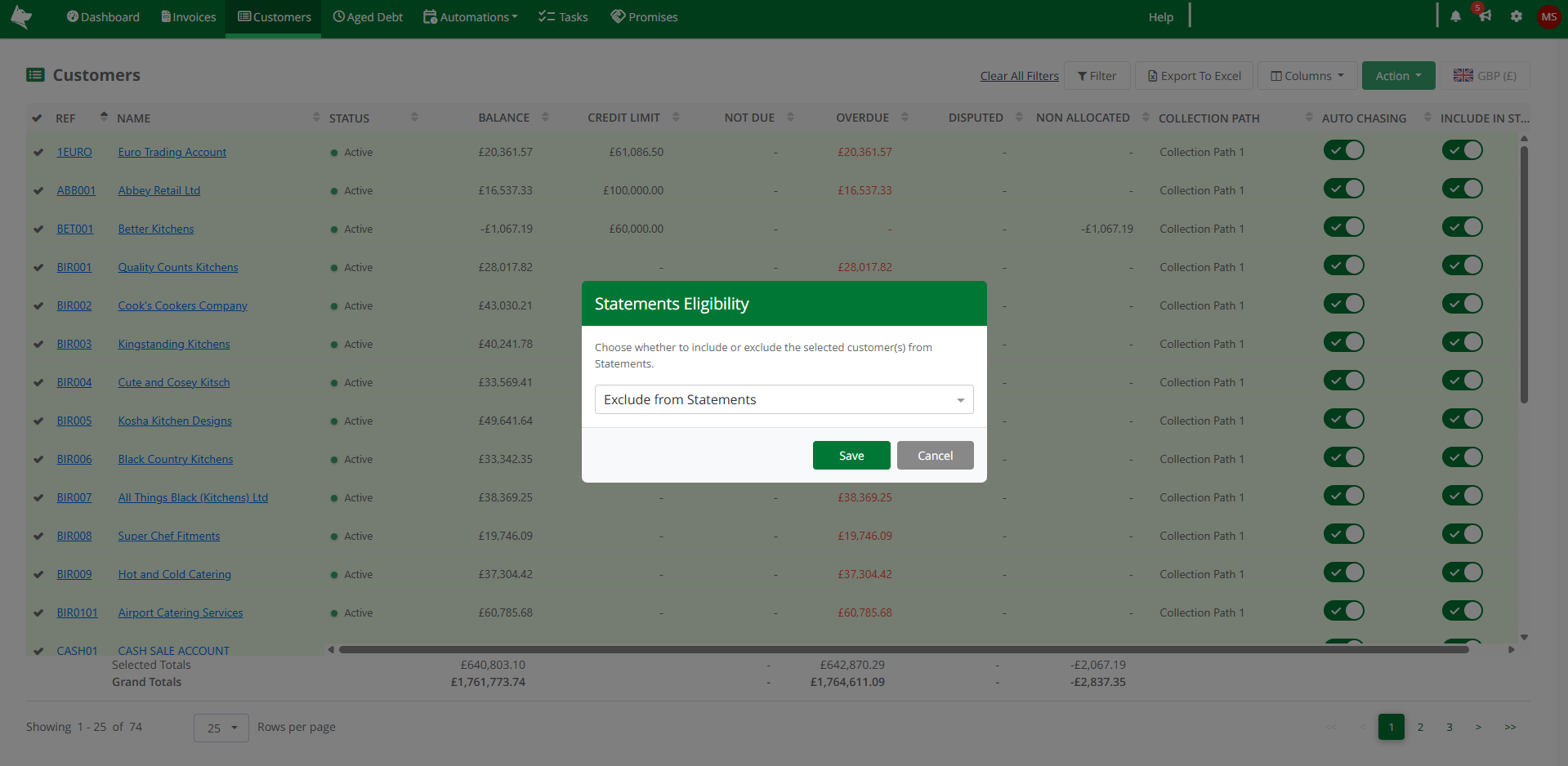
Statements Eligibility Dialog
The selected customers' Statements toggles will all be turned off. Each customer receives an Activity log entry recording the change.
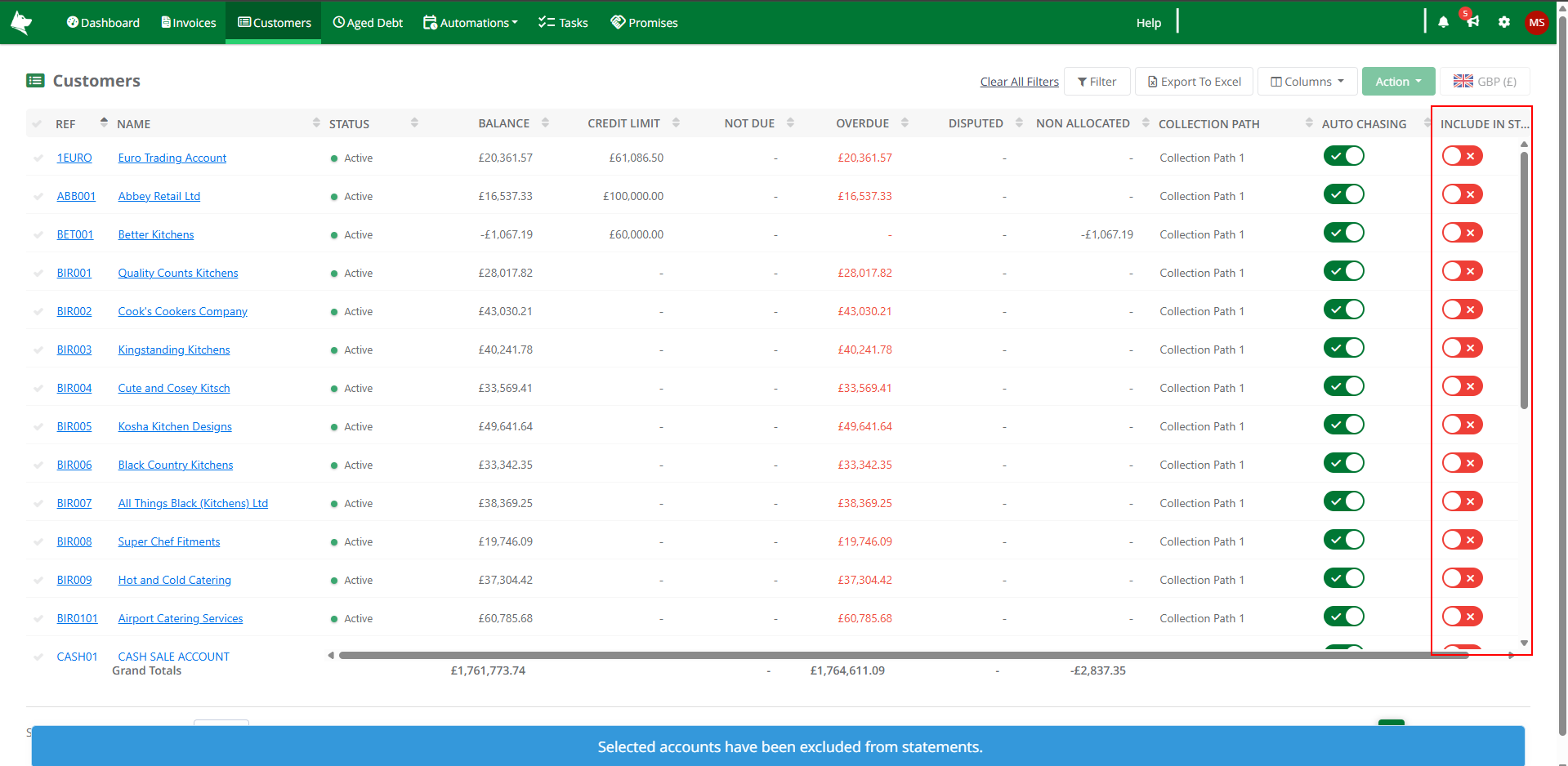
Customers List - Excluded
You can Include in Statements in the same way to turn Statements back on for multiple customers.
Opting all customers out
If you want to stop all Statement emails, use the Is Enabled toggle on the Statement configuration page instead of opting customers out one by one.
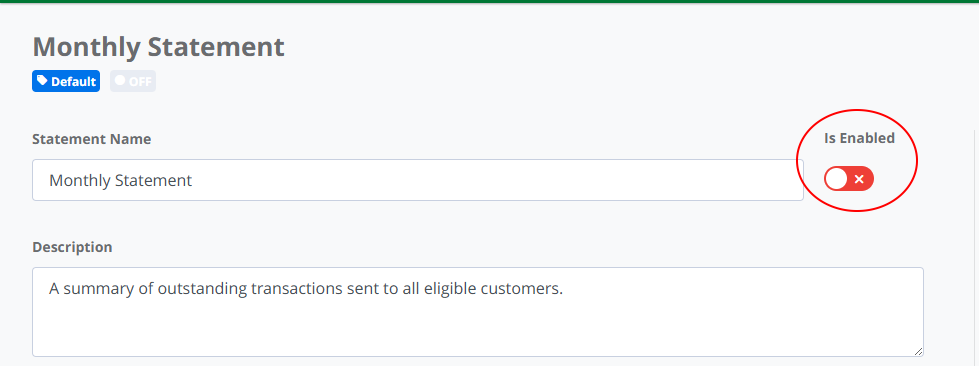
Statements - Is Enabled Toggle
This switches Statements off for the whole dataset and doesn't affect your per-customer settings - when you turn the global toggle back on, your per-customer choices are preserved.
Customers without a valid email
Customers without a valid email address on their default contact will be automatically excluded from the Statement run, even if their Statements toggle is on. You don't need to opt them out manually - they will appear in the Customer Email Issues so you can fix the email address or decide whether to opt them out properly.